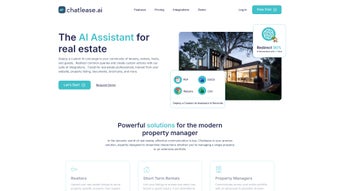

Download Chatlease – AI Real Estate Concierge Tool
Overview of Chatlease
In the fast‑moving world of property management, real‑estate agents and landlords constantly juggle tenant inquiries, showing schedules, and marketing tasks. Chatlease answers that challenge by delivering an AI‑driven concierge platform built specifically for the real‑estate sector. This subscription‑based web app acts as a virtual assistant that can understand and reply to common questions about listings, amenities, local attractions, and booking viewings—all while learning from the documents and online presence you already own.
By centralising communication across email, SMS, and social‑media channels, Chatlease reduces the time spent on repetitive tasks and frees you to focus on high‑value activities such as closing deals and nurturing client relationships. The tool’s knowledge‑base is automatically populated when you upload property listings, floor plans, or leasing documents, allowing the AI to generate property‑specific answers instead of generic replies. Moreover, Chatlease integrates with calendar applications to automatically schedule property tours and capture leads, creating a seamless workflow from the first inquiry to the final lease signing.
Early adopters report that the platform can handle up to 90 % of routine tenant interactions, dramatically improving response times and overall tenant satisfaction. Whether you manage a single multifamily building or a portfolio of commercial assets, Chatlease scales to meet your communication needs while maintaining a secure, GDPR‑compliant environment. The solution also offers built‑in reporting that highlights peak contact times, common question trends, and conversion metrics, empowering managers to make data‑driven decisions that boost occupancy rates and reduce vacancy periods.
In short, Chatlease combines natural‑language processing, multi‑channel outreach, and robust analytics into a single, easy‑to‑use dashboard that modernizes the leasing process for today’s digital‑first renters.
Key Features & Benefits
- AI‑Powered Query Resolution: Natural‑language processing instantly answers questions about rent, lease terms, and property features.
- Multi‑Channel Support: Communicates through email, SMS, Facebook Messenger, Instagram Direct, and web chat widgets.
- Property Listing Upload: Import CSV, XLSX, or PDF listings; the AI extracts key data points to enrich its knowledge base.
- Automated Viewing Scheduler: Syncs with Google Calendar, Outlook, or iCal to propose and confirm showing times.
- Lead Capture Workflow: Converts chat interactions into qualified leads, automatically feeding CRM systems like HubSpot or Salesforce.
- Custom Knowledge Base: Leverages existing FAQs, lease agreements, and neighborhood guides to provide hyper‑relevant answers.
- Analytics Dashboard: Tracks response rates, common inquiry topics, and conversion metrics in real time.
- Secure & Compliant: End‑to‑end encryption, role‑based access, and GDPR‑ready data handling.
- Scalable Subscription Model: Tiered pricing lets you start with a single property and expand to unlimited listings.
- Continuous Updates: Monthly AI model improvements and feature roll‑outs without manual patches.
The combination of these capabilities translates into tangible business outcomes. By automating routine conversations, property managers see a 30‑40 % reduction in average response time, which directly influences tenant satisfaction scores. The integrated scheduler eliminates back‑and‑forth email threads, saving an average of 5–7 hours per week for busy agents.
Additionally, the lead capture engine enriches each prospect with interaction history, improving follow‑up efficiency and boosting conversion rates by up to 15 %. Because Chatlease operates as a cloud‑hosted service, there’s no need for on‑premise hardware, and updates are delivered automatically, ensuring you always have the latest AI enhancements without downtime. For teams that rely on multiple communication channels, the unified inbox simplifies oversight, allowing supervisors to monitor quality and compliance across all touchpoints from a single dashboard.
The analytics module also provides a heat‑map view of inquiry spikes, enabling managers to allocate staffing resources during peak periods and proactively address recurring concerns. Finally, the platform’s GDPR‑compliant architecture gives peace of mind to both landlords and tenants, protecting sensitive personal data while meeting regulatory requirements across regions.
Installation, Usage & Compatibility
Getting Started – Simple Setup Process
Installing Chatlease is intentionally frictionless. As a web‑based SaaS solution, you begin by creating an account on the official portal. After confirming your email, you are prompted to choose a subscription tier and connect your preferred calendar service (Google, Outlook, or Apple).
The next step is uploading your property data. Supported file formats include CSV, Excel, PDF, and direct API connections to popular listing services such as Zillow or MLS. Once the files are uploaded, Chatlease’s AI engine parses the data, extracts key attributes (address, rent, square footage, amenities), and automatically populates its internal knowledge base.
This process typically completes within 10‑15 minutes for standard portfolios. For larger portfolios, the platform offers bulk import tools and a staged onboarding wizard that guides you through batch processing, ensuring data integrity and minimizing duplicate entries. Throughout the onboarding journey, a dedicated success manager is available via chat or video call to answer questions, verify data mappings, and fine‑tune AI response parameters.
Daily Workflow – How to Use Chatlease Effectively
After the initial configuration, agents interact with Chatlease through a browser‑based dashboard or via the embedded chat widget on your website. Incoming messages from tenants or prospects are routed to the AI engine, which determines whether it can answer autonomously or needs to forward the request to a human agent. Agents receive notifications for escalated queries, and they can intervene directly from the dashboard, adding custom responses that the AI learns from over time.
Scheduling viewings is as simple as clicking “Propose Times” – the system checks calendar availability, offers slots to the prospect, and confirms the appointment once the tenant selects a time. All interactions are logged for future reference, and the analytics panel provides insights into peak inquiry periods, common pain points, and overall engagement metrics. The platform also supports canned response libraries, enabling agents to insert brand‑consistent messaging with a single click.
For power users, a built‑in scripting interface allows the creation of conditional workflows (e.g., sending a lease agreement PDF after a booking is confirmed) without writing code.
Supported Platforms
Because Chatlease is delivered via a secure HTTPS connection, it works on any modern operating system and browser. Officially supported environments include:
- Windows 10/11 – Chrome, Edge, Firefox
- macOS 12+ – Safari, Chrome, Firefox
- Linux distributions – Chrome, Firefox
- iOS 14+ – Safari, Chrome (mobile app not required)
- Android 9+ – Chrome, Firefox
The platform adheres to responsive design principles, ensuring a consistent experience whether you’re on a desktop workstation, a tablet in the field, or a smartphone while showing a property. Security features such as two‑factor authentication (2FA) and role‑based permissions are available across all operating systems, guaranteeing that only authorized personnel can access sensitive tenant data. For enterprises with stricter compliance needs, Single Sign‑On (SSO) via SAML 2.0 or OAuth is also supported, allowing seamless integration with corporate identity providers.
Pros, Cons & Frequently Asked Questions
Pros
- Automates up to 90 % of routine tenant communications, saving time.
- Multi‑channel support consolidates email, SMS, and social media.
- AI learns from your own property data, delivering highly specific answers.
- Integrated calendar syncing eliminates manual scheduling.
- Robust analytics help refine marketing and leasing strategies.
- Secure, GDPR‑compliant architecture protects tenant information.
- Scalable subscription model fits both small landlords and large enterprises.
- Continuous AI improvements keep responses accurate and up‑to‑date.
- Dedicated onboarding assistance reduces implementation friction.
- Extensive integration library (CRM, MLS, messaging platforms) streamlines workflows.
Cons
- Initial AI training requires a well‑structured property dataset.
- Subscription cost may be higher for small landlords with limited budgets.
- Complex integrations (e.g., custom CRM) may need developer assistance.
- Reliance on internet connectivity; offline usage is not supported.
- Advanced customization of AI tone or language may require additional configuration time.
FAQ – Your Quick Reference
Can Chatlease handle multiple properties under one account?
Yes. The platform is designed for portfolios of any size. You can upload listings for each property, and the AI will differentiate responses based on the specific asset the inquiry references.
Is there a free trial available?
Chatlease offers a 14‑day free trial with full feature access, allowing you to evaluate AI performance and integration ease before committing to a subscription.
How does Chatlease ensure data privacy?
All data is encrypted in transit (TLS 1.3) and at rest (AES‑256). Role‑based access controls and two‑factor authentication further protect sensitive tenant information, and the service complies with GDPR and CCPA regulations.
Can I customize the AI’s tone or language?
Absolutely. Within the settings panel you can select a formal, friendly, or casual tone, and you can also add multilingual support for Spanish, French, and Mandarin to match your tenant demographics.
What integrations are natively supported?
Chatlease integrates out‑of‑the‑box with Google Calendar, Microsoft Outlook, HubSpot, Salesforce, Zapier, and major social‑media messaging platforms. Custom API hooks are also available for bespoke workflows.
Is there a mobile app for on‑the‑go agents?
While Chatlease is primarily browser‑based, the responsive design works seamlessly on smartphones and tablets, and future native iOS/Android apps are planned for Q2 2026.
Conclusion & Call to Action
For real‑estate professionals who are tired of juggling endless tenant emails, phone calls, and scheduling headaches, Chatlease offers a modern, AI‑powered solution that consolidates communication, automates routine tasks, and delivers a personalized experience for every prospect. Its ability to learn from your own property data means that the answers you provide are always accurate and on‑brand, while the multi‑channel approach guarantees you never miss a lead, whether it arrives via Instagram DM or a text message. Although there is an upfront learning curve to feed the AI with clean listings, the long‑term time savings and increased conversion rates quickly outweigh the initial investment.
If you manage a single rental unit or a sprawling commercial portfolio, Chatlease scales with your business, keeping your team focused on closing deals rather than answering the same question repeatedly. Ready to transform your leasing workflow? Start your free 14‑day trial today and experience a smarter way to communicate with tenants, renters, and guests.
Pros: Automation, multi‑channel, analytics, secure.
Cons: Requires quality data upload, subscription cost for small landlords.



.png)



